
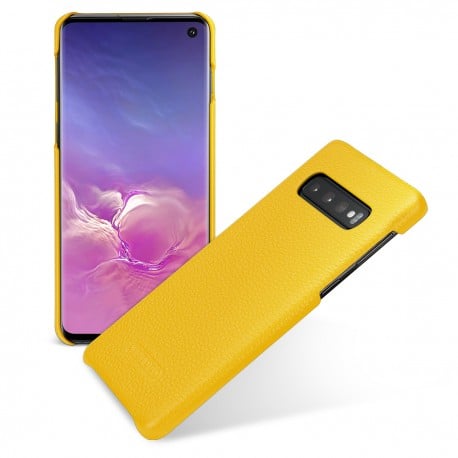
G973N U3 U2 Fix Rom Arabic Turkey With All languages \\روم اصلاحي مع عربي تركي وكل اللغات G973N U3 U2

اخلاء مسؤولية | DISCLAIMER
بسم الله الرحمن الرحيم
—–(Download Latest Official Firmware (PC ——
—– قم بالدخول على سبورت حلب تك والتحقق من وجود احدث البرامج الثابتة —–
..(Enter your model and Region (I.E Model=G973N , Region=BTU
الان نقوم بتحميل الفلاشة الخاصة باضافة اللغـــــات من هنــــــــا —
—(Download ODIN 3.13.1 (PC—
Go here and download the latest version of ODIN
قم بتحميل احدث البرامج الثابتة من برنامج التفليش الخاص بالسامسونج
من هنــــــــا
—Unlock Bootloader—
**WARNING THIS WILL WIPE YOUR DATA**
Enable developer Settings
(Settings > About Phone > Software Information > Tap build number 7 times (Enter your device pin)
Go into Developer option and enable ‘OEM Unlocking’ (Enter Device Pin)
WARNING MESSAGE: Click turn on
Power of your phone
Hold Bixby + Volume Down and plug in your phone to your PC
Download mode should now be shown
Hold Volume Up, you’ll get a warning message, then press volume up to accept.
This will now wipe your data and automatically reboot
Boot the phone
Go through initial set-up but skip everything for now
Enable developer mode again and OEM unlocking (or should be enabled and greyed out)
You are now done, and your bootloader will now allow ‘Unofficial Images’
الان بعد القيام بفتح البوتلودر
نقوم بتحميل الريكفري المعدل من هنــــــا
–(Download Latest TWRP (Phone–
On your phone Download the latest TWRP image for your model to the phones external SD card from here
We will need this later….
–Patch Firmware & TWRP File–
(On your PC extract the firmware files (AP, BL, CP and HOME_CSC
Copy the AP file to your SD card and enter SD card in your phone
On your phone download the latest Magisk Manager APK from here
Install the app.
You may need to allow to “Install Unknow Apps” for chrome
Load up Magisk Manager on your phone
Next to ‘Magisk is not installed.” Click Install
Click Install on the pop up
Click ‘Select and Patch a File’
Select the AP file you copied across to your external SD
Magisk will now patch the AP file
A file called tar will be created
Repeat steps 2-4 but this time for the TWRP image file you downloaded earlier to your external SD.
At the end of this process you should have two files
tar and magisk_patched.img
(One is a Magisk patched version of TWRP (.IMG) and the other is a Magisk patched version of stock rom (.TAR
استخراج ملفاتة (AP ، BL ، CP و HOME_CSC)
انسخ ملف AP إلى بطاقة SD الخاصة بك وأدخل بطاقة SD في هاتفك
قم بتنزيل أحدث إصدار من Magisk Manager APK من هنـــــــــــــا
حدد ملف AP الذي قمت بنسخه عبر بطاقة SD الخارجية
سيقوم برنامج Magisk الآن تصحيح ملف AP ويستخرج ملف ويتم انشاء ملف magisk_pached.tar
magisk_patched.tar و magisk_patched.img في النهاية يجب ان يكون الملفان متواجدان
–Rename and repackage–
Remove the SD card from your phone and plug into PC
Copy the above files from the SD to you PC
tar & magisk_patched.img
Rename the file img to recovery.img
Open the file tar using a zip tool (I.E 7Zip) inside the archive remove the existing recovery.img and replace with the new patched recovery.img you made
above
أخرج بطاقة SD من هاتفك وقم بتوصيلها بالكمبيوتر
انسخ الملفات المذكورة أعلاه من بطاقة SD إلى جهاز الكمبيوتر الخاص بك
أعد تسمية الملف magisk_patched.img إلى recovery.img
افتح الملف magisk_patched.tar باستخدام أداة zip (I.E 7Zip) داخل الأرشيف ، قم بإزالة recovery.img الموجود واستبداله باستخدام Recovery patched الجديد. img الذي قمت بإنشائه أعلاه …
–(Download Multi-disabler (Phone–
On your phone download multi disabler from here
Ensure this is on your External SD card
نقوم بتنزيل أداة disabler من هنــــــا
نقوم بوضعه على بطاقة SD
–(Download Custom Rom (Beyond) (Phone–
Download the latest version of Beyond ROM for your firmware version from here to your phone
Ensure this is on your External SD Card
نقوم بتحميل الفلاشة الخاصة من هنــــــــا
 Telegram Channel
 WhatsApp Channel
 Facebook Page
 YouTube Channel