
Full explanation about how to deal with Huawei devices in detail

اخلاء مسؤولية | DISCLAIMER
ASSALAMU ALIKUM WA RAHMATULLAHI WA BARAKATUH
.Peace and the mercy and blessings of God be upon you.
.The respected followers of HALABTECH site
Today in this article, we present you with a full and complete explanation of Huawei‘s methods of flashing these devices with the simplest and the easiest ways.
Firstly : One of the most important reasons for the wide spread of these devices is the high specifications that is accompanied by a reasonable price and elegant form.This led to a rapid .spread of HUAWEI devices
We, as the team of HALABTECH , we are going to provide you with the full and the proven explanations for this relatively complex devices.
In the beginning we provide an explanation of the details of the ROM shortcuts and the abbreviations
For example : we have the following ROM
KIW-L21 C185B321
The developmental name of this device is KIW-L21
The country to whom the the BASEBAND is directed is C185
ROM version is B321
In all ROMS the divisions are as following
1
Update : Responsible for system and the start process of the phone
2
hw-meafnaf : Responsible for secondary applications such as keyboard, camera, files and other applications
So
The most important in every flashing process is that the target country and the version that must be identical or higher value
BUT
If you want to DOWNGRADE the ROM there are files called
Rollback
In particular, the desired ROM must be flashing by using Upgrade mode
They must be flashing by using SD CARD
Here are some of the meanings of country-oriented codes or the country
that are directed to.
C02 = Europe Vodafone
C10 = Russia
C170 = Russia
C21 = Telefonica / O2
C40 = Czech Republic Telefonica / O2
C55 = Italia TIM
C86 = Spain Yoigo
C112 = Latin America
C121 = Türkei
C123 = Switzerland
C150 = Telekom
C151 = India
C183 = New Zealand
C185 = Middle East & Africa
C209 = Asia (Pacific)
C212 = ATT Mexico
C271 = Malaysia
C249 = Serbia Telekom
C324 = Taiwan
C358 = Tunisia
C432 = Europe
C470 = Asia Pacific
C605 = Colombia
C636 = Asia Pacific
C637 = Spain
C675 = India
Thus we now have now a full backgroungd about the meaning of the abbreviation.
……………………………………………………………………………………………………………………………………………………..
Huawei devices processors are
divided into four sections or types
1-Qualcomm
2- HiSilicon
3- Mediatek
4- Spreadtrum
……………………………………………………………………………………………………………………………………………………..
Section 1: different flashing methods now we have to explain flashing methods
First: the traditional way of flashing through the memory card Upgrade Mode
The features of this method:
1 . Safe, where where when you flashing with a wrong flash the device will reject the incompatible ROM
- Solve all problems of the devices
Its disadvantages :
It takes a long time more than the flashing by fastboot mode method
Secondly : The flashing via the FASTBOOT method directly, but we need a box to support flashing through the FASTBOOT
Like
Dc Phonix or EFT Dongel
The disadvantages of this method are :
1 – Unsafe and sometimes cause to the death of the devices
2 – Cannot solve all problems in general
Thirdly: through the supporting Boxes for MTK processors
Or through
sp flash tool
This is just for MTK devices
The explaination of the first method
The traditional way of using the memory card or Upgrade mode
1 – Download the flash or ROM
- After the unraring of flash, we will have a file named ‘dload’
3 – Open the “DLOAD” folder on your desktop and make sure that there is a file named ‘updata.app’ inside it.
4 – Copy the entire folder “DLOAD” onto the root of the SD card
5 – Close the phone and press the volume up and volume down keys together and press the power key
Method 2
Via Fastboot directly
As we have told you that this process requires BOXES to support this type of flashing
It is simple to choose the right flash and flashing by fastboot method.
Generally, The method of entering the devices into the fastboot mode is by pressing the volume down and by connecting USB.
Method 3 : By supporting BOXES for the MTK processors
This method is known to most of technicians and it is as the flashing of any device with MTK processor
Now we now come to the most important thing in this explanation.
How to choose the right Flash ?
We will use Multi-Tool 8 to download
Or any BOX that supports reading the INFO of the devices
.We have here a device as an experience
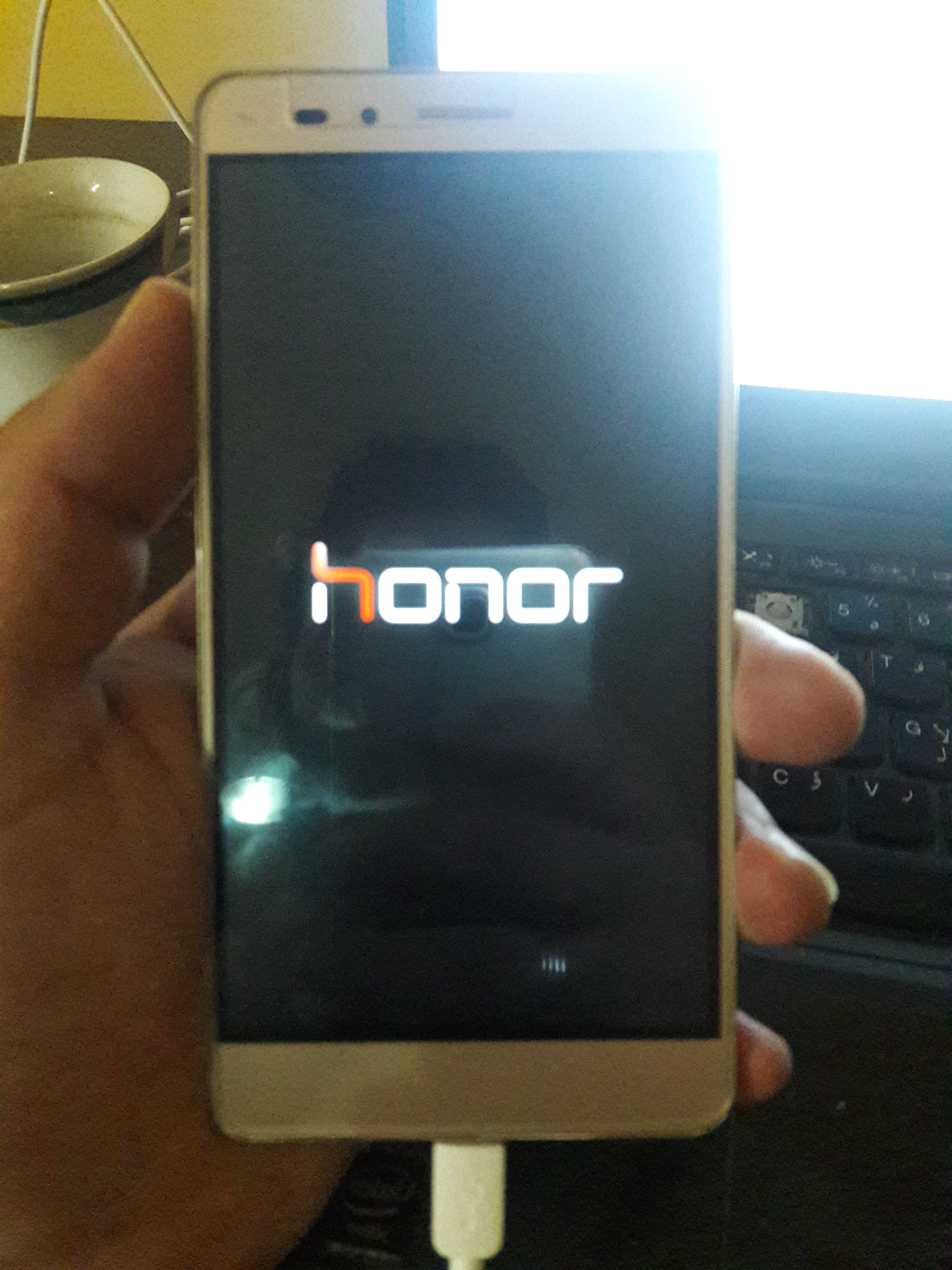
GR5 KIW-L21
The problem of the device is that it was stopped on logo after the update manually by wifi
So we have to start work practically
First we have to download the tool
from here
Second, we have to connect the device with the fastboot mode
Then we have to open the tool and wait until the entire information of the device appears as the following

Now we have the full name of the ROM with country that is directed to, In this issue
We havt to search for ROM through the SUPPORT of HALABTECH
Support.halabtech.com
Where it offers all kinds of ROMS with all versions

This is the required ROM
We can also flashing with a newer version that means a higher version of
B321
After downloading the ROM we must flash with the pre-mentioned methods according to the type of the processor
The experience today will be upon fastboot mode
And through
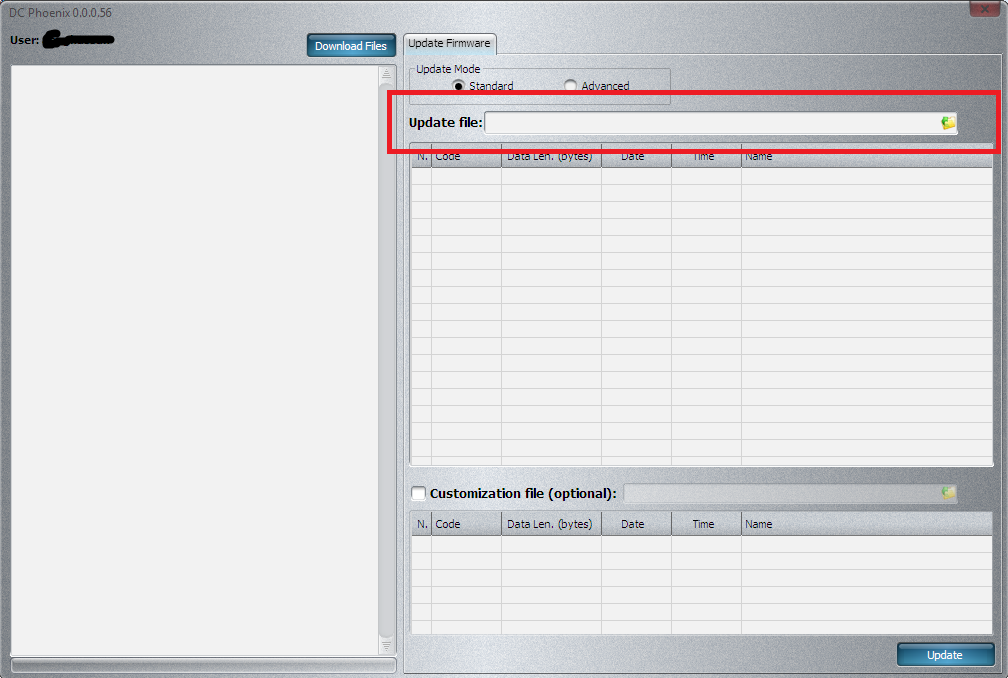
Dc Phonix
We choose the flash from the following tab

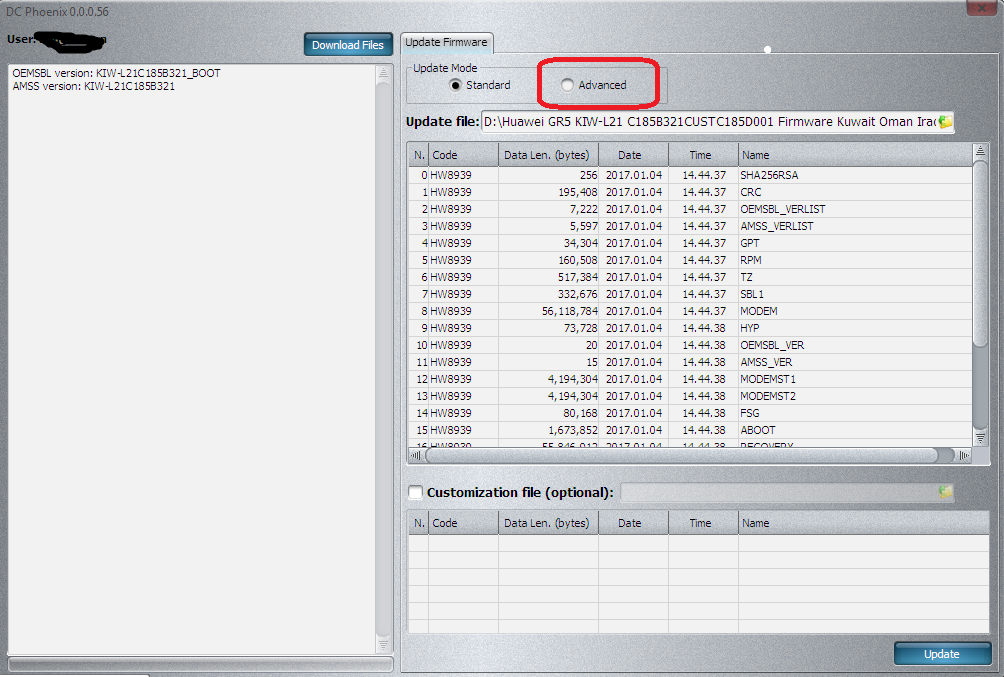
We can do a partial flashing by using the following option
We start with the flash command through the button
Update
We have to wait until the end of the flashing
First it will divide the ROM as following
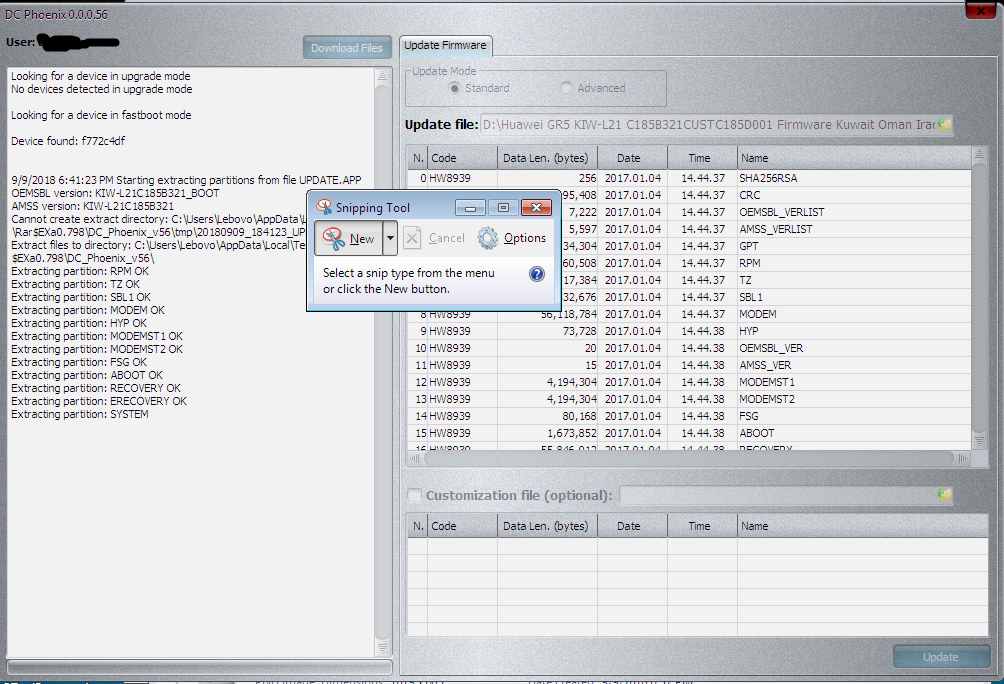
We wait few minutes and the flashing will be fully done
……………………………………………………………………………………………………………………………………………………..
Section II : How to Repair Boot of Huawei Devices
Overall, Huawei flashing must be by type of processor
MTK PROCESSORES : The best way to revive thes phones
that carry mtk processors is by reading full flash from other devices in Scatter or bin types
or ROM that is suitable or the highest version and can be flashed by various BOXES that support MTK devices But in modern devices that became difficult to flash with the Scatter because of the new boot protection and it became necessary to use DA files to facilitate the process of booting in terms of flashing or backing up flashes
Qualcomm: The best and smoothest processors of reviving and the best method is divided into two parts
1 – Board Flash: It is a flash used for the revival of dead phones and is a factory-made flash that is flashed by EDL or FASTBOOT modes.
2 – Dump Flash: A flash that is backed up from other devices via EDL mode and flashing for devices that have lost boot.
Boxes that support these tasks:
Dc Phoneix: we can flash BOARD FLASH ROMS by it with FASTBOOT MODE , EDL or UPGRADE MODE So it is considered one of the best tools used for reviving dead devices .
And networkainly the SUPPORT of HALABTECH includes all BOARD FLASH ROMS of Huawei devices from the link below
We can use the following BOXES to flash the backed up ROMS from other devices
CM2 – NCK – EMMC DONGLE -Sigma
And there is also UFI Box. So we can backup or flashing devices by it
Important Note: In all cases, the imei number must be written to the device after boot repair process
HiSilicon: The most troublesome processors
The handling ways are through the Board Flash and through Dc phoneix or Sigma
The imei number also must be written after reviving the phone
Flashing Methods:
Test Point must be used to insert the phone into the flash mode or wha is called
Qualcomm: EDL
HiSilicon: Huaweicom
Then we must flash the devices with Board ROM with Dc Phoneix or Sigma, after that we must repair imei and everything is done.
……………………………………………………………………………………………………………………………………………………..
Section 3: Converting the devices from the Chinese version to the Global version
In many cases we find in the devices that are directed to CHINA, where there are no APPS like GOOGLE PLAY and Arabic language , where these devices are directed to the Middle East
In order to complete the flashing process, one of the supporting boxes must be available that support partial flashing such as DC PHONEIX or EFT
Of course, the Chinese models come with a model such as AL00 – TL00 – CL00 – DL00
Therefore, you must flash the System + Cache + Cust files.
Of course, the flashing must be taken from an international ROM so in the begining , we have sometimes to flash only the System file, and then to do HARD RESET or FORMAT the device
And the device will work, with Allah willing
……………………………………………………………………………………………………………………………………………………..
Walid Tadmory
Abdullah H.Hameed
Halabtech Team
 Telegram Channel
 WhatsApp Channel
 Facebook Page
 YouTube Channel