
A Redmi Note 10 that opens Fastboot at every restart often has a boring physical cause. The phone thinks Volume Down is being held while it powers on. The owner may see the Fastboot logo, hold Power for a forced restart, watch the Redmi logo flash for a second, and land back on the same screen. Before you wipe data or flash firmware, treat the side keys and case as the first suspect.
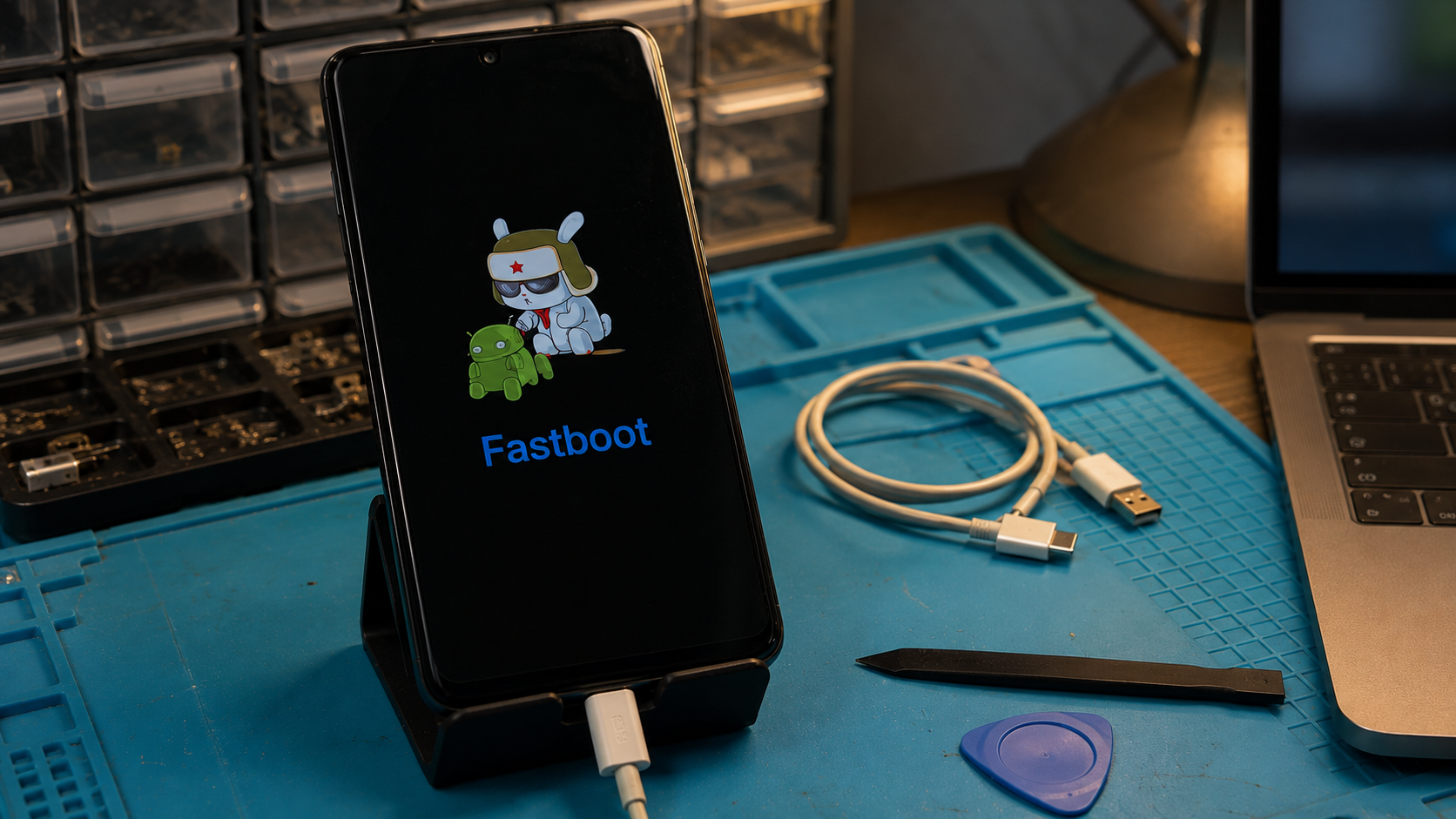
This repair path fits the Redmi Note 10 family, especially the standard Redmi Note 10 running MIUI 12 based on Android 11 at launch and units later updated through MIUI 13 or MIUI 14. It also helps with nearby Redmi Note 10 Pro, Note 10S, and Note 10 5G cases, but those models do not share every firmware package or button flex detail. Keep the software decision tied to the exact model, region, and build.
Use this only for an owner authorized phone. Do not use a reset, account workaround, or firmware flash to bypass ownership checks. If the phone contains important data, the first win is getting one normal boot so the owner can back up photos, chat exports, authenticator recovery codes, and work profile data.
Why a stuck Volume Down key sends Redmi Note 10 to Fastboot
On Xiaomi and Redmi phones, Power plus Volume Down is the normal Fastboot entry path. Xiaomi support also points owners to a stuck or mistakenly pressed Volume Down key when a phone keeps reaching the Fastboot interface. That matches what repair desks see on Redmi Note 10 units after a drop, tight case, swollen side button cover, pocket lint, or a worn side key flex.
The symptom has a clear pattern. The phone is not dead. It responds to Power. The screen can show the Redmi logo. It may vibrate, shut off, then return to Fastboot without reaching Android. If the same cycle happens with no cable connected and after a long Power hold, the boot combo may be active during every restart.
Do not start with Mi Flash, a factory reset, or random recovery options. Those steps can erase data and still miss the fault if the button is physically held. A phone with a jammed Volume Down key can reenter Fastboot even after a successful software repair.
Check the outside before opening the phone
Remove the case, screen protector edge guard, magnetic holder plate, and any clip that touches the side buttons. Press Volume Up and Volume Down several times. Each key should click, return cleanly, and feel different from the frame. A flat or mushy Volume Down key is enough to explain a false Fastboot boot.
Hold Power for more than ten seconds with no cable attached. If the phone restarts and Android loads after the case is removed, leave firmware alone. Back up the phone, clean the case, and check whether the button cutout presses the key when the case is refitted.
If it returns to Fastboot, look at the gap around the volume rocker under strong light. A small grain of sand, dried liquid, dented frame, or shifted button cap can hold the key just enough to trigger the boot combo. Do not flood the key with liquid cleaner. Use a dry soft brush and gentle plastic tool pressure around the button edge. If the key is still stuck, move to hardware inspection rather than wiping data.
- Case removed and Android boots means the case or button cap was pressing Volume Down.
- Button feels stuck with the case removed means the side key path needs repair before software work.
- Button clicks normally but Fastboot returns means continue with cable, driver, and history checks.
- Phone restarts only when the cable moves means inspect the USB C port and battery state before flashing.
Separate false Fastboot from a real firmware loop
A false Fastboot boot starts before Android has a chance to load. The phone reads the held key during power on and obeys the boot shortcut. A firmware loop usually has a different history. It may follow a failed OTA package, root attempt, wrong boot image, custom recovery flash, or full ROM script.
Ask what happened just before the first Fastboot screen. A fall onto the side frame, new case, recent button repair, or sticky volume key points toward hardware. A failed MIUI update, modified boot image, or message from a flashing tool points toward software. If the owner does not know, start with the button path because it is safer and preserves data.
The Redmi Note 10 name also needs care. The standard Redmi Note 10 uses Snapdragon hardware and launched with MIUI 12 based on Android 11. The Note 10S and some other regional relatives use different hardware and firmware packages. A Global ROM, India ROM, EEA ROM, carrier package, and Xiaomi.eu build can have different assumptions. A close file name is not a match.
Fastboot by itself does not prove the phone needs flashing. It proves the bootloader mode is open. The cause may still be a pressed key.
Use Mi Recovery only after the button path is clear
Mi Recovery is entered with Power plus Volume Up on many Redmi phones. It can be useful for a normal reboot, wipe decision, or supported update path. It is also a good diagnostic check after the Volume Down key has been released, because a phone that can enter Recovery on command is responding to the key matrix.
Power the phone off from Fastboot by holding Power until the screen goes black. As soon as it is off, try Power plus Volume Up. If Mi Recovery opens and the Volume Down key no longer feels held, choose reboot first. Do not choose wipe data just to escape Fastboot. A wipe removes local data and may leave the same Fastboot loop if the side key is still pressed.
If Recovery cannot be selected because the cursor keeps moving down by itself, that is another sign that Volume Down is electrically active. Stop software work. The side key flex, button cap, frame dent, or liquid damage needs inspection.
When a PC and Fastboot tools help
A Windows, macOS, or Linux computer can confirm that the phone is visible in Fastboot, but it cannot prove the button is healthy. Connect a known data cable directly to the computer. Avoid hubs and charge only cables. On Windows, install a clean Android bootloader driver only when Device Manager fails to bind the phone correctly.
The command fastboot devices should show a device entry when the USB path and driver are working. If it shows nothing, solve the cable, port, and driver problem before judging the phone software. If it shows a device, fastboot reboot may send the phone out of Fastboot. Watch the next boot carefully. If it returns to Fastboot with no command and no cable influence, check the Volume Down key again.
Do not flash boot, recovery, vbmeta, or a full fastboot ROM just because the computer can see the phone. Flashing belongs later, after the physical key check, backup discussion, exact model match, region match, and bootloader state check.
Firmware repair has stricter stop points
Firmware repair becomes reasonable when the history supports it. Examples include a failed MIUI OTA, a custom recovery image flashed to the wrong partition, a patched boot image from the wrong build, or a full ROM script that stopped halfway. Even then, the Redmi Note 10 package must match the exact device and region.
If Android boots once, back up before any reset or flash. Save local media, chat backups, app recovery codes, notes, and files from work profiles. Confirm the Google account on the phone. A reset can trigger account verification during setup, and only the owner should complete that step.
If the bootloader is locked, do not look for a shortcut around it. Use Mi Recovery, official update options, warranty support, or a controlled repair bench. If the bootloader is unlocked and the phone was modified, restore only files from the same build that was on the device. Same marketing name is not enough.
Use this bench decision path
- If the Redmi Note 10 opens Fastboot after every Power hold, remove the case and inspect Volume Down before any reset.
- If Android boots after the case is removed, back up data and replace or trim the case before retesting.
- If Volume Down feels stuck, clean around the rocker dry and gently. If it still sticks, repair the side key path.
- If Mi Recovery selection moves by itself, stop software work and inspect the volume key circuit.
- If the button feels normal but Fastboot returns after fastboot reboot, ask about OTA failure, root, custom recovery, or recent flashing.
- If the computer does not see fastboot devices, fix cable, direct USB port, and driver binding before any firmware decision.
- If firmware repair is supported by the history, match the exact Redmi Note 10 variant, region, build, and bootloader state before writing anything.
- If data, warranty, liquid damage, account ownership, or model identity is unclear, stop and move the phone to authorized support or a repair bench.
What HalabTech checks before calling it software
On this symptom, HalabTech treats the button result as evidence, not an afterthought. A clean click, stable Recovery selection, and one successful normal boot change the repair plan. A stuck click, self moving Recovery menu, or repeated Fastboot return after a simple reboot keeps the job in hardware diagnosis.
The safest finish is narrow. Release the Volume Down path, prove one normal boot, back up, then decide whether any MIUI or firmware repair is still needed. If the phone keeps choosing Fastboot with the side key electrically active, software work is noise. Fix the key first, then retest the boot.