
UMTv2_UMTPro_UltimateMTK_4.8

اخلاء مسؤولية | DISCLAIMER
UMTv2_UMTPro_UltimateMTK_4.8
UMTv2_UMTPro_UltimateMTK_4.8

UMTv2_UMTPro_UltimateMTK_4.8
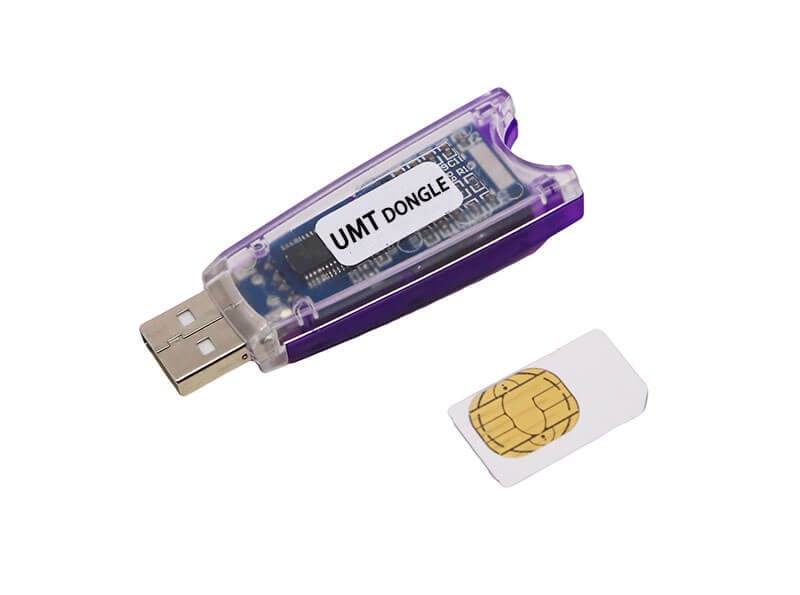
UMTv2 / UMTPro
UltimateMTK v4.8
Added Support for following functions:
– Read Info
– Reset FRP (For devices supporting this feature)
– Reset Locks (All Android Versions, Encrypted Userdata NOT Supported)
– Read Pattern (Android 5.x and earlier, Encrypted Userdata NOT Supported)
– Format FS
– Format FS (Advance)
– Repair IMEI Original in META / Boot Mode
– Backup NVRAM
– Restore NVRAM
– Reboot to META / FACTORY / FASTBOOT Mode
– Added Support for Helio CPU (MT6750, MT6755, MT6763, MT6739 etc)
– Disable Lock / Restore Lock for Encrypted Userdata
– Remove Lcoks for Encrypted Userdata for Vivo
– Factory Reset in META Mode (Vivo, Oppo and others)
– SafeFormat Option to let device format itself safely in recovery
– Added Support for Helio X20 (MT6797)
– One Click Format for Oppo/Realme Phones in Meta
– Added Disable Auth to disable SLA/DAA
– Added Mi Account Reset
– Xiaomi Repair IMEI Original
– NVRAM/NVDATA Format
– META Reboot for SLA Enabled Devices
– MTK One Click Function Added
– Crash Preloader Added
– Added More Options in MTK One Click
– Added Bootloader Unlock / Relock
– Added RPMB Read/Write
– Added Vivo Security Repair
– Samsung Knox Guard Status Change
– Added Oppo ID Remove
– Added Huawei ID Remove
Updated DAA/SBA/SLA Bypass Method:
– MT6261
– MT6572
– MT6580
– MT6582
– MT6735
– MT6737
– MT6739
– MT6753
– MT6755
– MT6757
– MT6761
– MT6763
– MT6765
– MT6768
– MT6771
– MT6779
– MT6785
– MT6795
– MT6797
– MT6799
– MT6873
– MT8127
– MT8163
– MT8173
– MT8695
– MT6885
– MT6595
– MT8167
– MT6592
– MT6833 (Dimensity 700 5G)
– MT6853 (Dimensity 720 5G)
– MT8590
– MT6758 (Helio P30)
– MT6781 (Helio G96)
– MT6877 (Dimensity 900)
– MT6893 (Dimensity 1200)
– MT6758 (Helio P30)
– MT6781 (Helio G96)
– MT6877 (Dimensity 900)
– MT6893 (Dimensity 1200)
UMTv2_UMTPro_UltimateMTK_4.8
Added Oppo ID Remove
– Change to Locked, Completed, Checking or Prenormal
Added Huawei ID Remove
– Do not use this function for Non-Huawei Devices
Added Samsung New FRP Method
– New Method added in FRP Reset in MTK One Click
– Tested on Samsung Galaxy M32 5G
Improved MTK One Click functions
– Improved Format FS / Erase FS
– Improved FRP Reset Function
Fixed Hang on Preparing Device
– This issue was caused by libusb driver installed on class level or for all devices.
– Now device will be scanned properly avoiding hang
Some cosmetic changes
– Now Read RPMB, Write RPMB, Remove Oppo ID and Remove Huawei ID are combined in combobox.
Thanks to:
– nand kishor gup
– raz007
MTK One Click supports most phones regardles of Brand/Model
Important
– Features introduced may work on other devices too, which are not litsed here.
– User needs to untick By Model checkbox to be able to select Platform manually.
– For manual work, just select Platform and DA.
– For new secured devices, you may need to seleft AUTH and/or Preloader.
– Rest operations will work same.
Note : Some features are device/OS specific and may not work on all devices.
WARNING :
ESN / MEID / Repair IMEI Original IS INTENDED TO REPAIR ESN / MEID / IMEI TO ORIGINAL ONE WRITTEN ON PHONE BACK LABEL / BOX. WE DO NOT ENDORSE OR ENCOURAGE ESN / MEID / IMEI CHANGING. ITS ILLEGAL. USER IS SOLE RESPONSIBLE FOR ANY ILLEGAL ACTIVITY DONE WITH USE OF FEATURES PROVIDED IN OUR SOFTWARE, NOT LIMITED TO ESN / MEID / IMEI.
ANY USER USING OUR SOFTWARE FOR ILLEGAL PURPOSE WILL BE SOLE RESPONSIBLE FOR HIS ACTS.

UMTv2_UMTPro_UltimateMTK_4.8
مواضيع قد تهمك :
-
حل مشكلة تطبيع شاشات هواتف سامسونج
-
إزالة ديمو بشكل نهائي لهواتف OPPO
-
اضافة اللغات العربية والتركية والفارسية لهواتف سامسونج الغير موجودة بها
-
طريقة نقل واتسأب رسمي من اي هاتف يعمل بنظام اندرويد الى هاتف اخر بدون روت وبدون كود تفعيل
-
طريقة احترافك التعامل مع هواتف شاومي
-
احتراف التعامل مع هواتف هواوي
-
قم بالنشر على موقع حلب تك واربح معنا بنقاط كل 1000 نقطة يساوي 100$
-
حل مشكلة تحميل من جوجل درايف
-
ما هو اشتراك خدمات حلب تك
-
وكلاء موقع حلب تك حول العالم



 Telegram Channel
 WhatsApp Channel
 Facebook Page
 YouTube Channel