
UMTv2/UMTPro QcFire v13.0

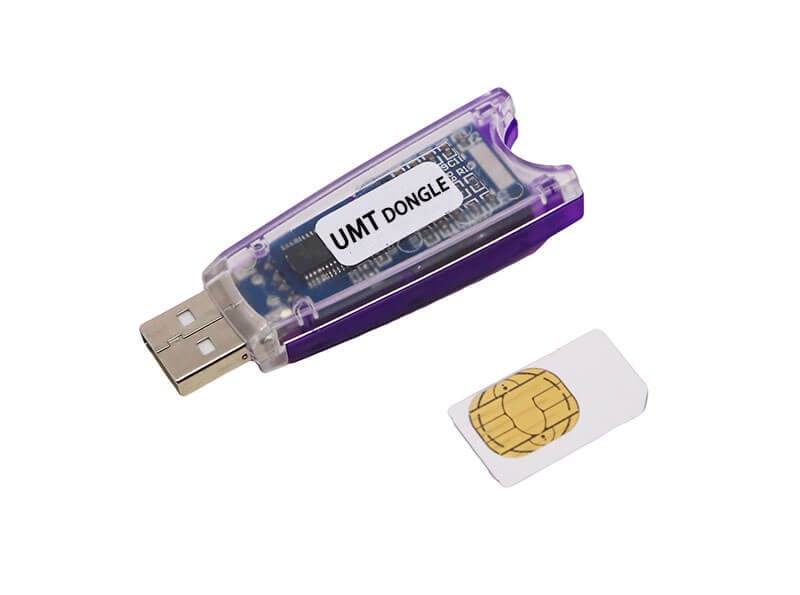
UMTv2/UMTPro QcFire v13.0
للتفعيل For Activation From here من هنا
We are pleased to announce
UMTv2 / UMT Pro
Innovative and Intelligent
QcFire v13.0
The Ultimate Qualcomm Tool
Supported Functions
– Read / Write Firmware
– Backup / Restore QCN
– IMEI Repair in FTM/Diag + Flash Mode
– Backup / Reset / Restore Security (EFS)
– Reset FRP (Google Factory Reset Protection)
– Format UserData
– Read Pattern Lock (Android < 6.0, Un-Encrypted Devices Only)
– Reset Locks (PIN, Password, Pattern w/o Data Loss, Un-Encrypted Devices Only)
– Enable Diag (Need OEM Unlock, May not work on BL Locked Devices)
– Reboot to EDL from Fastboot
– Reset Mi Account for Xiaomi Devices
– Disable Mi Account for Xiaomi Devices
– Factory Reset (sideload Mode) for Xiaomi Devices
– Disable / Restore Locks for Encrypted Userdata
– Motorola Boot Repair
– Xiaomi EDL Locked Device Service
– Bootloader Unlock in EDL Mode for some Xiaomi Devices
– One Click Root in EDL Mode for Generic Qualcomm Devices
– Forensic Functions (Read Contacts / Messages in EDL Mode)
– One Click Lock Reset for Vivo Phones (Encrypted Userdata)
– Factory Method for Format FS
– EDL Authentication using Xiaomi Auth App (Service Account Required)
– Xiaomi Wipe EFS in Sideload Mode
– Xiaomi IMEI Repair for RSA Protected Phones
– Xiaomi Boot Loader Unlock
– Unique Method for Vivo Reset Locks for Protected Devices
– Xiaomi EDL Auth Using UMT Server
– Xiaomi Flashing in Fastboot Mode
– Nokia Factory Firmware (nb0) Direct Flashing in EDL mode
– Oppo OFP Firmware Exctration Added
– Xiaomi Free Auth Service (bypass).
– Mi Account Reset without Relock
– Mi Account Patch on Flashing (EDL/Fastboot)
– Samsung MDM Unlock in EDL Mode
– Huawei ID Reset
– Vivo Functions in Fastboot Mode
– Universal Huawei ID Reset
– Xiaomi Sideload Reset FRP/Mi Account
– Xiaomi Sideload Firmware Update
– Xiaomi Temporary BL Unlock
– Xiaomi Enable Diag (NO ROOT)
– Samsung Lost Mode Reset in EDL Mode
– Samsung KG Bypass
– Samsung Unbrick / Dead Boot Repair
– Samsung TAR to Unbrick Firmware Creator
– Xiaomi Auth Bypass For Newer Devices
– Oppo/Realme/OnePlus VIP Bypass
Added:
Honor
– Pad X7 (JMS-W09)
Huawei
– P60 Pro (MNA-LX9)
Lenovo
– Tab M10 (TB-X505F)
Nokia
– 9 PureView (TA-1094)
Samsung
– Galaxy A02s (SM-A025U1) BIT 6
– Galaxy M23 (SM-M236B) BIT-C
– Galaxy S20 FE 5G (SM-G781N) BIT-D
– Galaxy S20 FE 5G (SM-G781V) BIT-L
– Galaxy S20 FE 5G (SM-G781W) BIT-W
– Galaxy S21 FE 5G (SM-G990U2) BIT-I
– Galaxy Tab A9+ (SM-X210) BIT-9
– Galaxy Tab A9+ (SM-X216C) BIT-9
– Galaxy Tab A9+ (SM-X216N) BIT-9
– Galaxy Tab Active4 Pro (SM-T636B) BIT-9
– Galaxy Tab Active4 Pro (SM-T638U) BIT-9
– Galaxy Tab S7 FE (SM-T735) BIT-9
– Galaxy Z Flip (SM-F7000) BIT-B
– Galaxy Z Fold2 5G (SM-F9160) BIT-8
– Galaxy Z Fold4 5G (SM-W9023) BIT-8
Takumi
– Kazuna eTalk (KAZ-F019)
ZTE
– nubia RedMgic 7 (NX679J)
Updated Booting Function to fix issues in 12.9
Updated Internal Loader Database
CONNECTION METHOD FOR SAMSUNG:
Method to connect some Samsung Devices is already in Log.
For newer devices, do the following:
– Hold VOL UP + DOWN on Device.
– Hold Button on EDL Cable.
– Insert Cable to Device while holding EDL Cable Button.
– Now rapidly click both VOL UP + DOWN at the same time.
– Once you have clicked VOL UP + DOWN more than 3 times, leave EDL Cable Button but keep rapidly clicking VOL UP + DOWN.
– Stop clicking VOLUME Buttons once device is connected in EDL Mode.
– On new firmware version, you need to click VOL UP + DOWN rapidly for around 10-20 times.
Special thanks to all our users who helped us with their test reports.
Please use UMT Card Manager to Update Card Counter / Firmware / Activate Add-on, available via Support Access.



 Telegram Channel
 WhatsApp Channel
 Facebook Page
 YouTube Channel