
UMTv2 / UMT Pro – QcFire v4.7 – Xiaomi Bootloader Unlock and more

اخلاء مسؤولية | DISCLAIMER
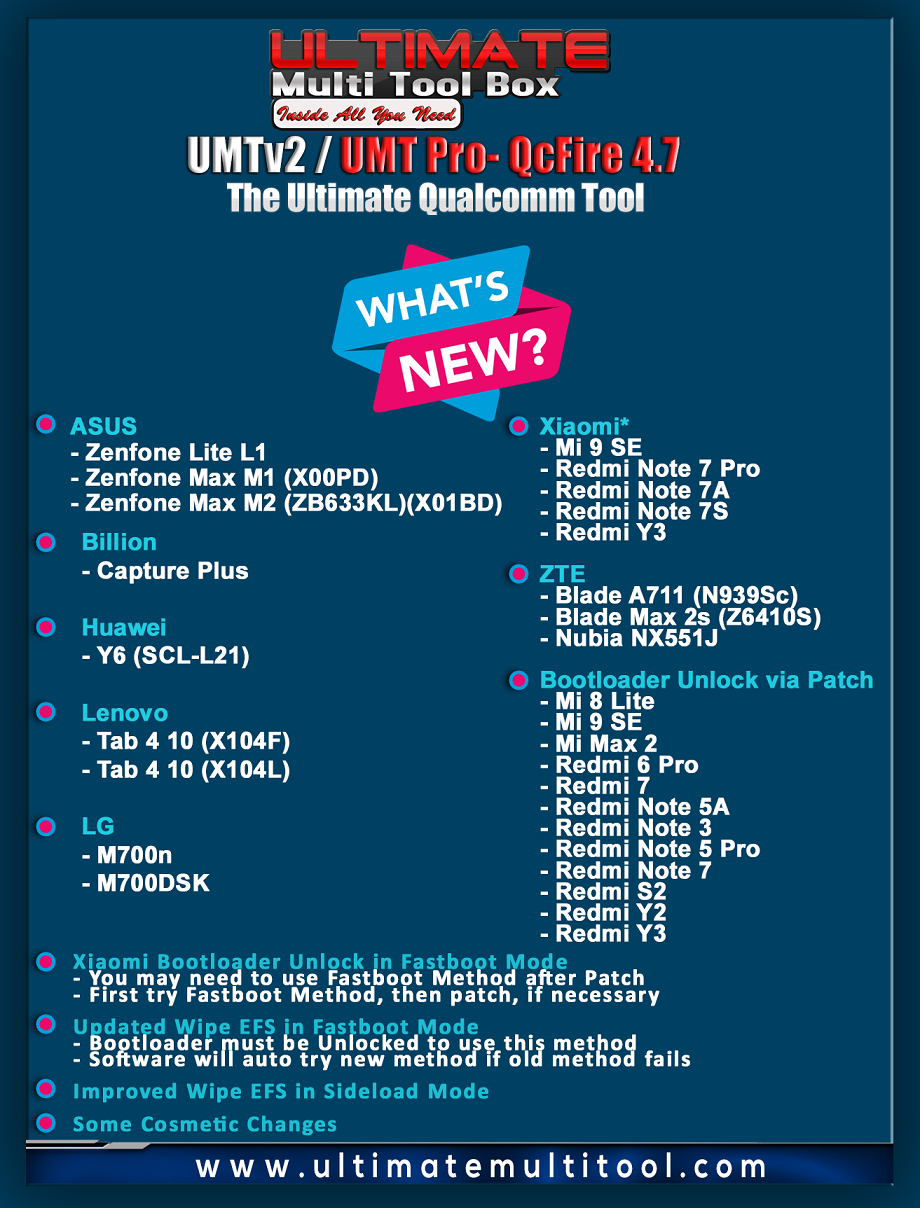
QcFire v4.7
The Ultimate Qualcomm Tool
Supported Functions
– Read / Write Firmware
– Repair IMEI Original in FTM/Diag + Flash Mode
– Backup / Restore QCN
– Backup / Reset / Restore Security (EFS)
– Reset FRP (Google Factory Reset Protection)
– Format UserData
– Read Pattern Lock (Android < 6.0, Un-Encrypted Devices Only)
– Reset Locks (PIN, Password, Pattern w/o Data Loss, Un-Encrypted Devices Only)
– Enable Diag (Need OEM Unlock, May not work on BL Locked Devices)
– Reboot to EDL from Fastboot
– Reset Mi Account for Xiaomi Devices
– Disable Mi Account for Xiaomi Devices
– Factory Reset (sideload Mode) for Xiaomi Devices
– Disable / Restore Locks for Encrypted Userdata
– Motorola Boot Repair
– Xiaomi EDL Locked Device Service
– Bootloader Unlock in EDL Mode for some Xiaomi Devices
– One Click Root for Qualcomm Generic Devices
– Forensic Functions (Read Contacts / Messages in EDL Mode)
– Save Read Contacts to vCard Format
– One Click Lock Reset for Vivo Phones without USERDATA LOSS (Encrypted Userdata)
– Factory Method for Format FS
– EDL Authentication using Xiaomi Auth App (Service Account Required)
– Xiaomi Wipe EFS in Sideload Mode
– Xiaomi Repair IMEI Original for RSA Protected Phones
– Xiaomi Boot Loader Unlock – NEW!!!
Note : Some features are device/brand specific, may not work on all devices.
Added:
ASUS
– Zenfone Lite L1
– Zenfone Max M1 (X00PD)
– Zenfone Max M2 (ZB633KL)(X01BD)
Billion
– Capture Plus
Huawei
– Y6 (SCL-L21)
Lenovo
– Tab 4 10 (X104F)
– Tab 4 10 (X104L)
LG
– M700n
– M700DSK
TP-Link
– Neffos Y5s (TP804A)
Vodafone
– Tab Prime 7 (VFD 1400)
Wiko
– Tommy2 Plus
– View 2 Plus
– View XL
Xiaomi*
– Mi 9 SE
– Redmi Note 7 Pro
– Redmi Note 7A
– Redmi Note 7S
– Redmi Y3
ZTE
– Blade A711 (N939Sc)
– Blade Max 2s (Z6410S)
– Nubia NX551J
Bootloader Unlock via Patch
– Mi 8 Lite
– Mi 9 SE
– Mi Max 2
– Redmi 6 Pro
– Redmi 7
– Redmi Note 5A
– Redmi Note 3
– Redmi Note 5 Pro
– Redmi Note 7
– Redmi S2
– Redmi Y2
– Redmi Y3
Xiaomi Bootloader Unlock in Fastboot Mode
– You may need to use Fastboot Method after Patch
– First try Fastboot Method, then patch, if necessary
Updated Wipe EFS in Fastboot Mode
– Bootloader must be Unlocked to use this method
– Software will auto try new method if old method fails
Improved Wipe EFS in Sideload Mode
Some Cosmetic Changes



 Telegram Channel
 WhatsApp Channel
 Facebook Page
 YouTube Channel