
UMT / UMT PRO iOS Module v4.5 Update Released – [16/12/2024]

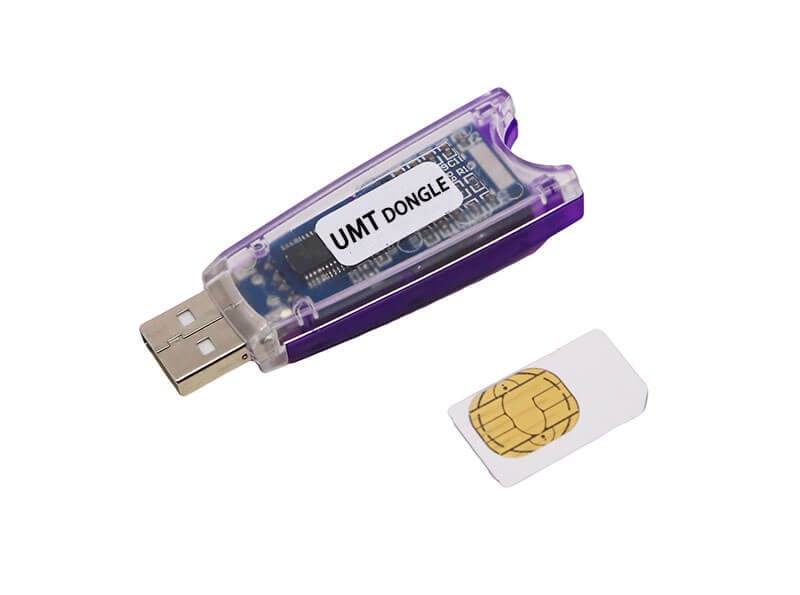
UMT / UMT PRO iOS Module v4.5 Update Released – [16/12/2024]
للتفعيل For Activation From here من هنا
Features:
Read Apple ID.
Read WIFI & BT Address.
Backup Passcode Activation.
Backup Passcode Activation & Auto Erase device.
Restore Passcode Activation.
Hello Bypass (Ramdisk Mode).
FMI OFF (iCloud Open Menu).
PWNDFU Gaster.
PWNDFU Checkm8.
fix drivers.
Exit Recovery.
Install libUsbK Drivers.
Test SSH after Ramdisk Boot.
Remove iCloud Open Menu by Token – FMI OFF
it is used for open Menu mobiles and for users who forgot their iCloud passwords in order to bypass FMI and flash phone and set up new iCloud on phone.
Supported Models All iPhones & iPads until date.
iPhone 5s – Till iPhone 15 Pro Max
iPad 5 – Till date.
Supported Models list For Ramdisk Operations.
Boot IOS 11x to 15x
- iPhone5s
- iPhone6
- iPhone6Plus
- iPhone6s
- iPhone6sPlus
- iPhoneSE
- iPhone7
- iPhone7Plus
- iPhone8
- iPhone8Plus
- iPhoneX
- iPad mini 4
- iPad Air2 Cellular
- iPad 5th Gen.
- iPad 6th Gen.
- iPad 7th Gen.
- iPad Pro 9.7-inch
- iPad Pro 10.5 inch
- iPad Pro 12.9 inch
Boot iOS 16.0-16.X (No Boot Loop)
- iPhone8
- iPhone8Plus
- iPhoneX
- iPad 5th Gen.
- iPad 6th Gen.
- iPad 7th Gen.
- iPad Pro 9.7-inch
- iPad Pro 10.5 inch
- iPad Pro 12.9 inch
Added New Method Hello Bypass for the Following Models:
- iPhone6s (iPhone8,1 n71ap)
- iPhone6s (iPhone8,1 n71map)
- iPhone6s Plus (iPhone8,2 пббар)
- iPhone6s Plus (iPhone8,2 п66maр)
- liPhone7 (iPhone9,1 d10ap)
- iPhone7 Plus (iPhone9,2 d11ap)
- iPhone7 (iPhone9,3 d101ap)
- iPhone7 Plus (iPhone9,4 d111ap)
- iPhone 8 (iPhone10,1 d20ap) – Use Gaster for Pwndfu to have successful rate to hello bypass
- iPhone 8 Plus (iPhone10,2 d21ap) – Use Gaster for Pwndfu to have successful rate to hello bypass
- iPhone X (iPhone10,3 d22ap) – Use Gaster for Pwndfu to have successful rate to hello bypass
- iPhone 8 (iPhone10,4 d201ap) – Use Gaster for Pwndfu to have successful rate to hello bypass
- iPhone 8 Plus (iPhone10,5 d211ap) – Use Gaster for Pwndfu to have successful rate to hello bypass
- iPhone X (iPhone10,6 d221ap) – Use Gaster for Pwndfu to have successful rate to hello bypass
- iPad mini 4 WiFi (iPad5,1-j96ap) – Use Gaster for Pwndfu to have successful rate to hello bypass
- iPad mini 4 Cellular (iPad5,2-j97ap) – Use Gaster for Pwndfu to have successful rate to hello bypass
- iPad Air2 Cellular (iPad5,4-j82ap) – Use Gaster for Pwndfu to have successful rate to hello bypass
- iPad Air2 (WIFI) iPad5,3-j81ap – Use Gaster for Pwndfu to have successful rate to hello bypass
- iPad (5th gen, WiFi) iPad6,11_ j71sap – Use Gaster for Pwndfu to have successful rate to hello bypass
- iPad (5th gen, WiFi) iPad6,12,_j72sap – Use Gaster for Pwndfu to have successful rate to hello bypass
- iPad Pro (10.5-inch) WiFi(iPad7,3-j207ap) – Use Gaster for Pwndfu to have successful rate to hello bypass
- iPad Pro (12.9-inch) WiFi(iPad6,7-j98aAP) – Use Gaster for Pwndfu to have successful rate to hello bypass
- iPad Pro (12.9-inch) Cellular(iPad6,8-j99aap) – Use Gaster for Pwndfu to have successful rate to hello bypass






 Telegram Channel
 WhatsApp Channel
 Facebook Page
 YouTube Channel