
Tecno Camon 20 Premier CK9N Bypass FRP GOOGLE ACCOUNT BY PANDORA TOOL تخطي حساب جوجل لهاتف

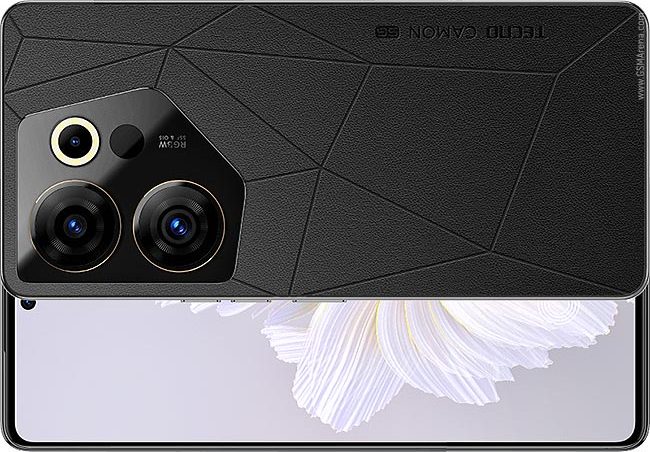
تخطي حماية حساب جوجل (FRP) لهاتف Tecno Camon 20 Premier باستخدام Pandora Tool
المقدمة
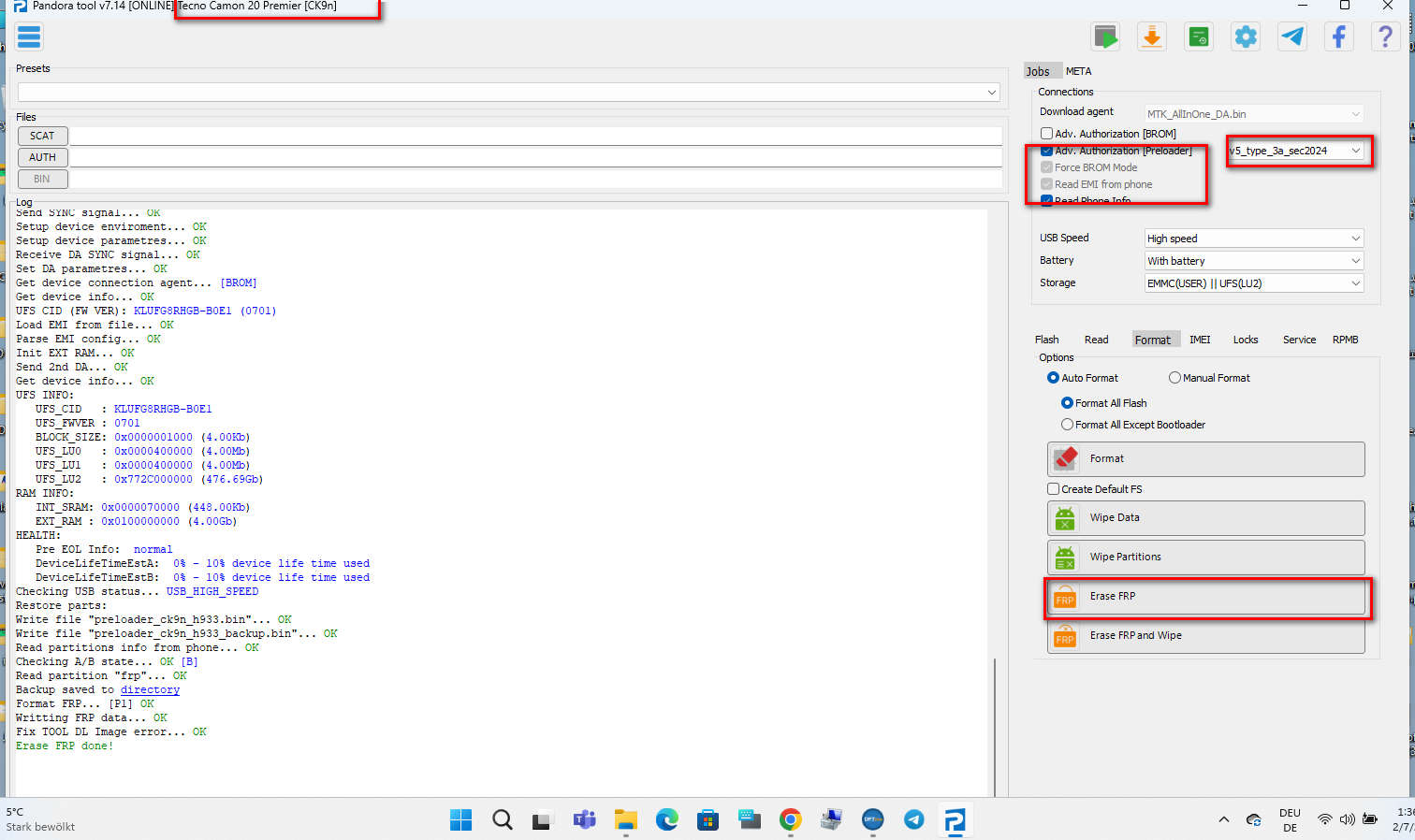
يُعد قفل حماية حساب جوجل (FRP) آلية أمان تُساعد على حماية جهازك من الاستخدام غير المصرح به بعد عمل إعادة ضبط المصنع. في حال كنت مالك الجهاز وتواجه مشكلة نسيان بيانات حساب جوجل، يمكن استخدام Pandora Tool لتجاوز هذه الحماية. في هذا الدليل، سنشرح الخطوات الأساسية لفتح واجهة Pandora Tool وتطبيق الإجراءات كما هو موضح في الصورة.
الخطوات الأساسية
-
تحميل وتثبيت Pandora Tool:
تأكد من تحميل النسخة الموثوقة من Pandora Tool على جهاز الكمبيوتر الخاص بك وتثبيتها بنجاح. -
توصيل الجهاز:
قم بتوصيل هاتف Tecno Camon 20 Premier بالكمبيوتر باستخدام كابل USB مناسب. -
فتح واجهة Pandora Tool:
بعد توصيل الجهاز، افتح برنامج Pandora Tool وتأكد من ظهور الجهاز في الواجهة. -
اتباع التعليمات على الشاشة:
- اختر خيار تخطي حساب جوجل (FRP Bypass) من القائمة.
- اتبع الخطوات المعروضة على الشاشة.
- راجع الصورة المرفقة مع الدليل للحصول على تفاصيل إضافية حول الخطوات.
-
إنهاء العملية:
بعد إتمام جميع الخطوات، سيتم إزالة حماية حساب جوجل من الجهاز. قم بفصل الهاتف وإعادة تشغيله للتحقق من نجاح العملية.
التنويه
تنويه هام:
المعلومات الواردة في هذا الدليل مُقدمة للأغراض التعليمية فقط. نحن لا نشجع على استخدام هذه الطريقة على الأجهزة التي لا تمتلكها قانونياً، ولا نتحمل أي مسؤولية عن الاستخدام غير القانوني أو غير المشروع لهذه الإجراءات. يُرجى الالتزام بالتشريعات والقوانين المحلية.
الخاتمة
باتباع الخطوات الموضحة أعلاه، يمكنك تخطي حماية حساب جوجل (FRP) لهاتف Tecno Camon 20 Premier باستخدام Pandora Tool. تأكد دائماً من استخدام هذه الإجراءات على الأجهزة التي تمتلكها وتطبيقها بما يتوافق مع القوانين المحلية.
Bypassing Google Account FRP on Tecno Camon 20 Premier Using Pandora Tool
Introduction
The Factory Reset Protection (FRP) is a security feature designed to protect your device from unauthorized access after a factory reset. If you are the rightful owner and have forgotten your Google account credentials, you can use Pandora Tool to bypass this protection. This guide explains the essential steps to launch the Pandora Tool interface and perform the necessary actions as illustrated in the accompanying image.
Key Steps
-
Download and Install Pandora Tool:
Ensure you download a trusted version of Pandora Tool and install it on your computer. -
Connect Your Device:
Connect your Tecno Camon 20 Premier to the computer using a proper USB cable. -
Launch Pandora Tool Interface:
Once the device is connected, open Pandora Tool and verify that your device appears on the interface. -
Follow On-Screen Instructions:
- Select the FRP bypass option from the menu.
- Follow the on-screen prompts carefully.
- Refer to the provided image for additional details on each step.
Complete the Process:
After all steps are completed, the Google account protection will be removed from the device. Disconnect your phone and restart it to confirm the process was successful.
Disclaimer
Important Disclaimer:
The information provided in this guide is for educational purposes only. We do not encourage the use of this method on devices that you do not legally own, and we are not responsible for any illegal or unauthorized use of these instructions. Please adhere to all local laws and regulations.
Conclusion
By following the steps outlined above, you can bypass the Google Account FRP on your Tecno Camon 20 Premier using Pandora Tool. Always ensure you apply these methods only on devices you legally own and comply with your local laws.



 Telegram Channel
 WhatsApp Channel
 Facebook Page
 YouTube Channel