التجاوز إلى المحتوى
LENOVO TB-8504F REMOVE FRP
First put the phone into EDL mode
by press and hold vol+ and connect USB cable
then press reset FRP
by UMT qcfire
in read and tools section
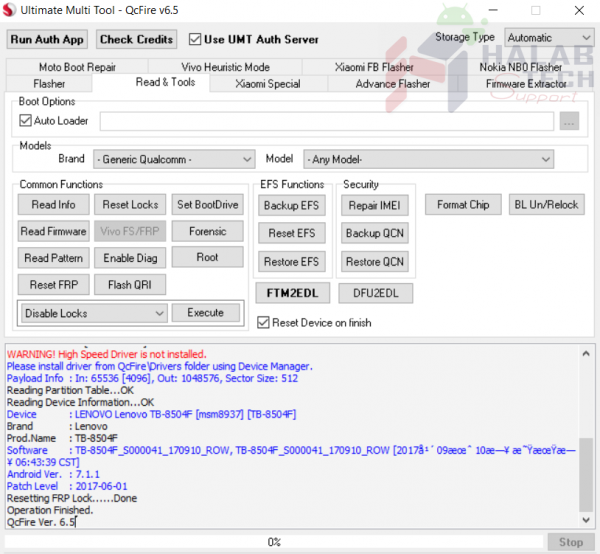
and enjoy
ازالة حساب جوجل لتابليت LENOVO TB-8504F
اولا نقوم بادخال التابليت الى وضع EDL
من خلال اطفاء التابليت و الضغط على رفع الصوت وتوصيل كبل USB
ثم نفتح UMT qcfire
ونختار reset FRP
من قسم read and tools
مبارك عليك الحل



 Telegram Channel
 WhatsApp Channel
 Facebook Page
 YouTube Channel