عملية إصلاح الإيمي ليست قانونية في بعض البلدان منها سوريا وتركيا والولايات المتحدة
يجب عليك إتباع وإحترام القوانين في بلدك وعدم تجاوزها.
الغرض من مواضيع هذا الموقع والمدونة هو إصلاح رقم الـ IMEI الموجود تحت البطارية الذي تم فقدانه بسبب التفليش الخاطىء ومشاكل السوفت وير الأخرى الناتجة عن الأخطاء البشرية
كاتب الموضوع والموقع غير مسؤول عن أي عملية مخالفة للقانون في بلدك تحت أي بند.
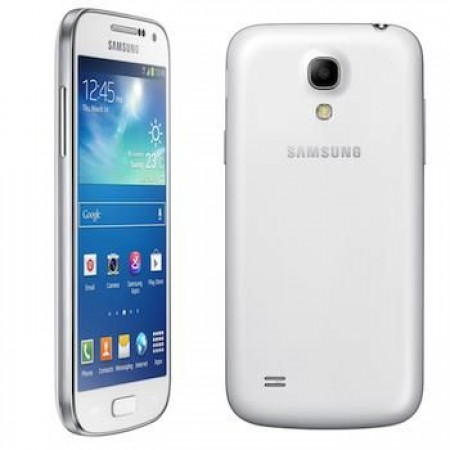
حل مشكلة اصلاح ايمي الاساسي I9190
تغيير ايمي من دون عمل روت للجهاز على z3x
1-unlock شبكة ضرورية هذه العملية
2- كتابة الايمي وrepair
3- مبروك عليك لوغو العملية
REPAIR INSTRUCTIONS:
Repair IMEI Original/Serial/BT/WiFi/Product Code:
1. Power on the phone.
2. Type *#0808# and select ‘DM+MODEM+ADB’.
3. Reboot phone.
4. Connect USB cable, install drivers if needed.
5. Select Samsung diagnostic port in port settings.
6. Press ‘Reset MSL’ button to deactivate security.
7. Wait till phone reboot.
8. Tap 7 times on ‘Build number’ in ‘Settings’-‘About phone’ to enable ‘Developer options’,
go to ‘Settings’-‘Developer options’ and enable ‘USB debugging’.
9. Select device in ADB settings.
10. Fill values what you need to repair.
11. Press ‘Repair’ button.
Reset EFS, Disable Factory Mode:
Phone must be rooted!
If the software can’t root the phone automatically,
then you must root your device manually.
1. Power on the phone.
2. Tap 7 times on ‘Build number’ in ‘Settings’-‘About phone’ to enable ‘Developer options’,
go to ‘Settings’-‘Developer options’ and enable ‘USB debugging’.
3. Connect the phone to PC with USB cable, install drivers if needed.
4. Select device in ADB settings.
5. Press ‘Reset EFS’ if you need to reset it.
Be carefully, do not perform this without necessity. Backup will be created automatically.
6. If you have yellow table on your device screen, then press ‘Disable Factory Mode’ button.
Wipe EFS/NVM:
If you have ‘IMEI null/null’ or ‘Phone baseband unknown’ errors,
Then you can try to repair this errors with this function.
1. Power on the phone in download mode (turn off phone, hold Volume Down + Home + Power).
2. Connect USB cable, install drivers if needed.
3. Press ‘Wipe EFS/NVM’ button to deactivate security.
4. Wait till phone reboot.
Operation: Repair
Selected model: GT-I9190
Selected port: COM42 SAMSUNG Mobile USB Serial Port
Software version: 29.5
Waiting ADB device… OK
Reading phone info…
Model: GT-I9190
Android version: 4.2.2
Product code: Not Active
Phone version: I9190XXUBNA1
PDA version: I9190XXUBNA1
CSC version: I9190OJVBNA2
CSC country code: TURKEY
CSC sales code: TUR
HW version:
Phone SN: RF1D67DT54P
Modem board: MSM8230AB
RF cal date: NONE
IMEI: 359403005805844
Writing AT RIL… OK
Initialization AT RIL… OK
Bypass MSL OK
Repairing IMEI… OK
Rebooting phone… OK
Repair done


 Telegram Channel
 WhatsApp Channel
 Facebook Page
 YouTube Channel