
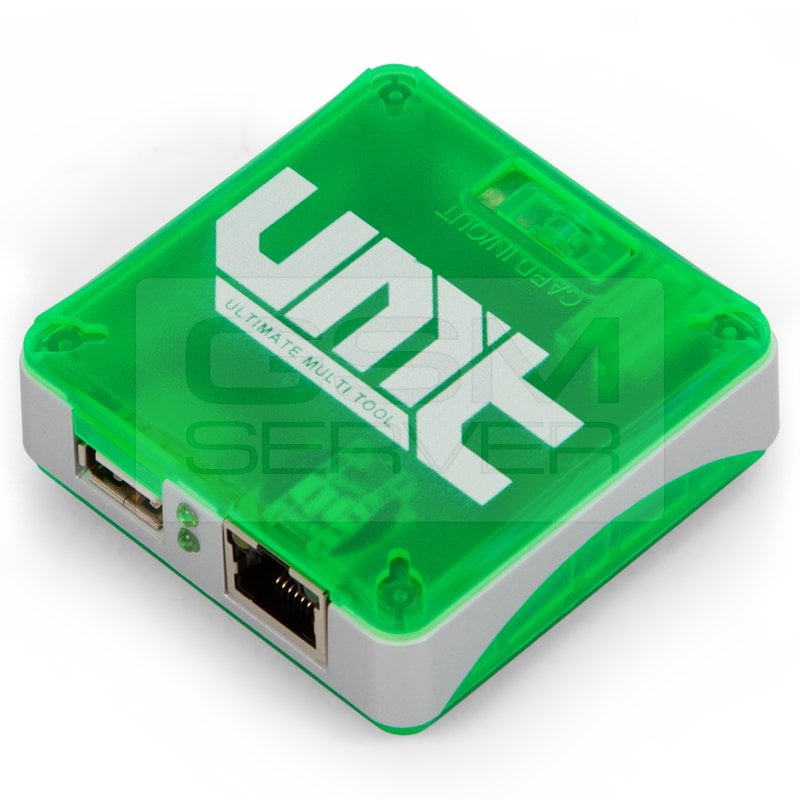
[11-04-18] UMTv2 / UMTPro – Ultimate MTK v1.4 – New Methods for Repair IMEI Original Added

اخلاء مسؤولية | DISCLAIMER
We are pleased to announce
UMTv2 / UMTPro
UltimateMTK v1.4
Innovative and Intelligent
Supported Functions
Read Info
Reset FRP (For devices supporting this feature)
Reset Locks (All Android Versions, Encrypted Userdata NOT Supported)
Read Pattern (Android 5.x and earlier, Encrypted Userdata NOT Supported)
Format FS
Format FS (Advance)
Repair IMEI Original in META / Boot Mode
Backup NVRAM
Restore NVRAM
Reboot to META / FACTORY / FASTBOOT Mode
Added Support for Following Devices
BLU
Grand 5.5 HD
Gionee
F103
S5.1
X1
V4s
HTC
Desire 620G
Huawei
Y520-U22
Y600-U20
Lava
Iris 510
Lenovo
A396i
P780
S850
LYF
LS-5017
Micromax
A093
A104
C1
D303
D321
E451
Q332
Q372
Panasonic
P55
T40
T44 Lite
Positivo
S420
Twist XL S555
Sky
4.0D
Symphony
i60
Fixed Scatter Loading
Some firmware was not loaded properly in last version
Added Custom DA Option
Now you can select your own DA if required
Added AUTH File Selection
Now you can select AUTH file if required by device
Removed Flashing Methods
Removed all old Flashing Methods
Now you don not need to select any flashing method
Added Repair IMEI Original Option
META (Old)
This method is for Old CPU Phones like MT6577, MT6580, MT6582 etc
META (New)
This method is for New CPU Phones like MT6735, MT6737, MT6755 etc
Boot Mode (Auto)
This method is to repair IMEI in Flash / Boot Mode
It will auto select IMEI Algo used
Boot Mode (Old Method)
This method is same like earlier, but will force to repair IMEI using Old Algo
Boot Mode (New Method)
This method is also same, just will force to use New Algo
Boot Mode (HTC Method)
This method will force to use HTC Alog
Backup NVRAM
You can backup NVRAM of any device to restore later
Backup will be automatically saved in NVRAM folder inside UltimateMTK folder
Restore NVRAM
You can restore NVRAM Backup made with Backup Option
You can fix formatted phones using these backup
Reboot to
META Mode
Useful in case auto switching does not work as expected
FACTORY Mode
You can reboot to factory mode to use Clear eMMC option like to format data after using Boot Mode Repair IMEI Original option
FASTBOOT Mode
It will boot your phone into Fastboot Mode. May be useful in some cases
TIPS:
If you use a Method and IMEI has some different character in it, use another Method
IMPORTANT
– Features introduced here will work on other devices too, which are not litsed here
– User need to untick By Model checkbox to be able to select Platform manually
– For manual work, just select DA and AUTH file if needed
– Rest operations will work same
Note : Some features are device/OS specific and may not work on all devices
YOU FOUND SOME BUG?
– Please start a new thread, and post complete log (no cuts), and full screenshot
– Follow your thread for instructions
– When we tell you something, try it, and also post complete log with screenshot
– If you post about anything NOT WORKING, WITHOUT LOG and SCREENSHOT, it will be useless and will be DELETED
It Has Begun…
Keep Following Us…
Some Nice Updates Are On The Way…
SPECIAL THANKS TO OUR VALUABLE USERS FOR THEIR LOVE AND SUPPORT
WARNING
ESN / MEID / Repair IMEI Original IS INTENDED TO REPAIR ESN / MEID / IMEI TO ORIGINAL ONE WRITTEN ON PHONE BACK LABEL / BOX. WE DO NOT ENDORSE OR ENCOURAGE ESN / MEID / IMEI CHANGING. ITS ILLEGAL. USER IS SOLE RESPONSIBLE FOR ANY ILLEGAL ACTIVITY DONE WITH USE OF FEATURES PROVIDED IN OUR SOFTWARE, NOT LIMITED TO ESN / MEID / IMEI.
ANY USER USING OUR SOFTWARE FOR ILLEGAL PURPOSE WILL BE SOLE RESPONSIBLE FOR HIS ACTS
WE CONDEMN USE OF OUR SOFTWARE FOR ANY ILLEGAL PURPOSE
STATUTORY WARNING – READ CAREFULLY
Using International Edition of our software is prohibited by Indian Law.
We strictly advice you to use Indian Edition if you are in India.
If you use International Edition in India, it may cause legal action against you by local law enforcement agencies.
We will not be liable for any loss or damaged caused.
:: NO FAKE ADVERTISEMENT ::
:: NO FAKE UPDATES ::
:: NO FAKE WORLD’S FIRST ::
:: NO FAKE BLA BLA BLA ::
How to Download
– Download UMT Support Access.
– Connect UMT Box/Dongle to PC and Run UMT Support Access
– Download required Executable from Installer folder
– Enjoy!
– Download Mirror – Google Drive and Mega


 Telegram Channel
 WhatsApp Channel
 Facebook Page
 YouTube Channel