
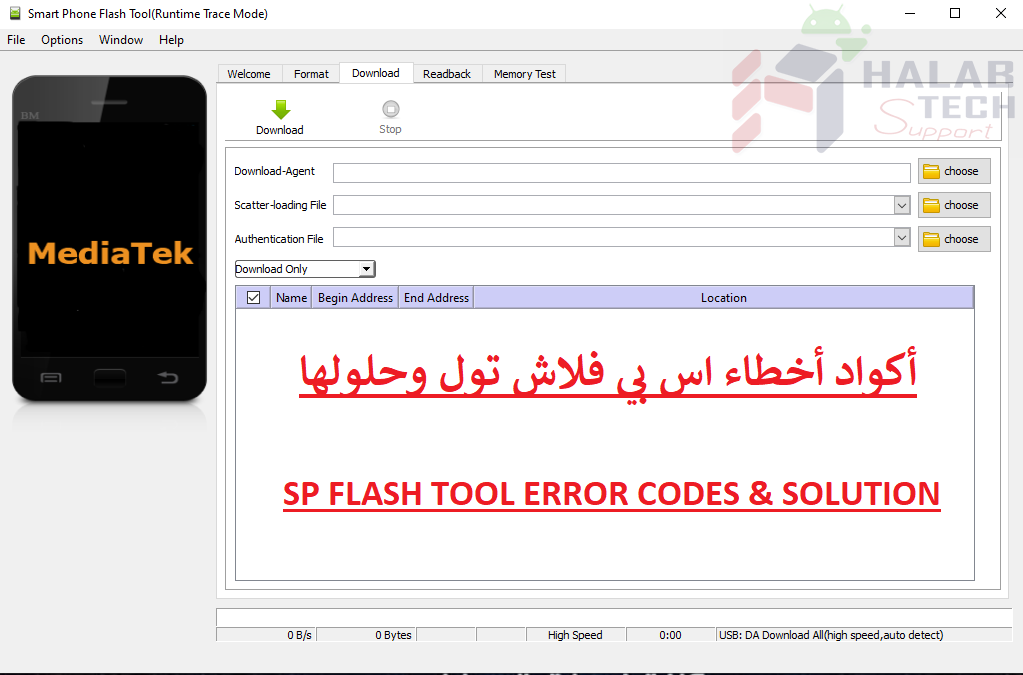
حل مشكلة خطأ 0XFA8 sp flash tool

اخلاء مسؤولية | DISCLAIMER
حل مشكلة خطأ 0XFA8 sp flash tool
رسالة الخطأ : BROM ERROR: S_FT_DOWNLOAD_FAIL (0XFA8)
معنى الخطأ : واجهت أداة SP Flash خطأ أثناء محاولة تفليش الملفات
حل المشكلة :
تأكد من أن البطارية في الهاتف وأن الهاتف مغلق قبل الاتصال من أجل التفليش
حاول استخدام أحدث إصدار من أداة SP flash
قم بتغيير سلك ومنفذ USB أو جهاز الكمبيوتر
استخدم خيار format option ثم download في أداة SP flash
حاول تغيير إعداد Download Agent في أداة SP Flash
fix the error problem 0XFA8 sp flash tool
Error message: BROM ERROR: S_FT_DOWNLOAD_FAIL (0XFA8)
Meaning of the error: The SP Flash Tool encountered an error while trying to flash files
Solve the problem :
Make sure that the battery is in the phone and that the phone is turned off before calling, in order to flash
Try to use the latest version of SP flash tool
Change the cable and the USB port or the computer
Use the format option, then download in the SP flash tool
Try changing the Download Agent setting in the SP Flash tool
فريق حلب تك
حسن رشيد






 Telegram Channel
 WhatsApp Channel
 Facebook Page
 YouTube Channel