
تخطي حساب جوجل لـ Lenovo Tab M10 Plus TB128FU 3rd Gen (2023) Qualcomm Bypass FRP Google Account by DFT PRO

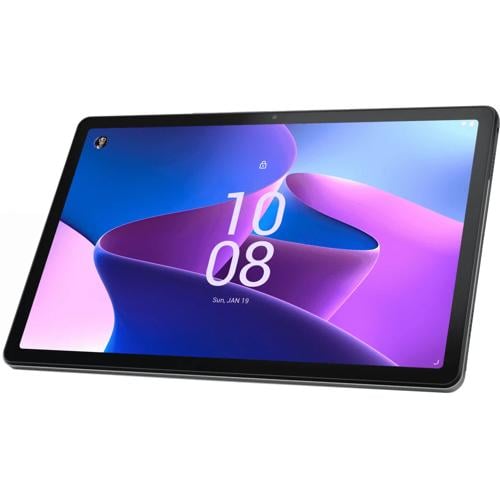
تخطي حساب جوجل لـ Lenovo Tab M10 Plus TB128FU 3rd Gen (2023) Qualcomm Bypass FRP Google Account by DFT PRO
ندخل الجهاز الى وضع EDL Qualcomm port عن طريق ازرار الصوت اذا لم ينجح ذلك عن طريق وضع fastboot و تبديل الى وضع QQMI
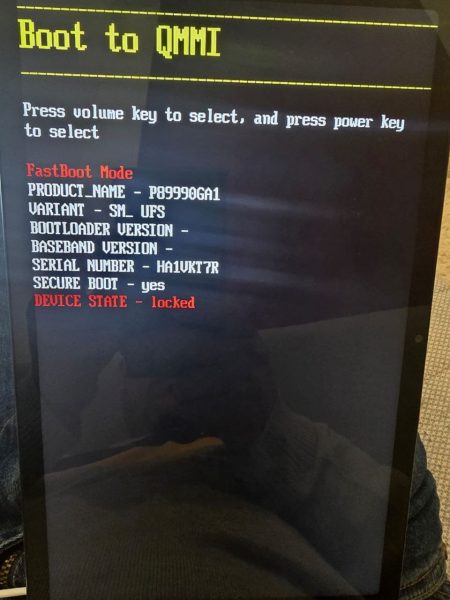
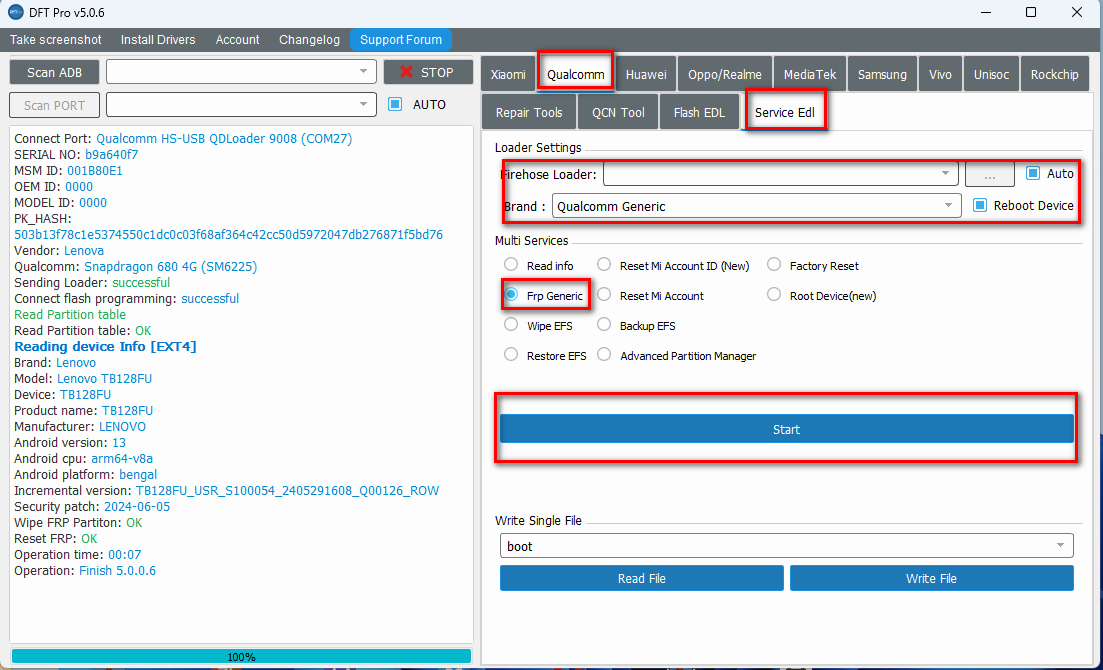
ثم ضغط جمع الازرار مع الباور و الكابل موصول ثم نطبق الخطوات الموجودة في الصورةالتالية
تخطي حساب جوجل لـ Lenovo Tab M10 Plus TB128FU 3rd Gen (2023) Qualcomm Bypass FRP Google Account by DFT PRO
HALABTECH TEAM
Lenovo Tab M10 Plus TB128FU 3rd Gen (2023) Qualcomm Bypass FRP Google Account by DFT PRO
We put the device into EDL Qualcomm port mode using the volume buttons. If that does not work, then put it in fastboot mode and switch to QMMI mode.
Then press the buttons with the power and the cable connected. Then we follow the steps in the following picture
Lenovo Tab M10 Plus TB128FU 3rd Gen (2023) Qualcomm Bypass FRP Google Account by DFT PRO

 Telegram Channel
 WhatsApp Channel
 Facebook Page
 YouTube Channel