، هنا الجهاز مطفىء بشكل كامل ، نوصل الجهاز في وضع EDL
( زر خفض الصوت + زر رفع الصوت مع توصيل كابل ال Usb المتصل بالكمبيوتر )
ثم نضغط خيار Reset FRP ستظهر لك رسالة أضغط على OK
بعد عدة ثواني سيعاد إقلاع الجهاز ومبروك عليك الجهاز بدون المطالبة بأي حساب Gmail .
وهذا لوغو العملية :
Operation : Reset FRP
Checking for existing devices…Found
Port : ?Qualcomm HS-USB QDLoader 9008 (COM10)?
Driver Info : Qualcomm Incorporated, qcusbser.sys, 2.1.1.2
Opening Port…OK
Init Handshake Sequence…OK
Hardware ID : E1B00600 [8937] 00000000
OPK_DATA : 9CBA94693C2333A562BCF0E0E981C558748817D002F543B2A26AB1B4B3F1CF9E
Initializing Protocol…OK
Using Auto Loader Selection [3]
Device may possibly not boot with this loader.
Preparing Loader…Done
Sending Loader [8937_003]…Done
Executing Loader…OK
Detecting Chip Type…OK
Hardware : 8937, eMMC, 32 GB
LU Count : 1 [0x03A3E000]
WARNING! High Speed Driver is not installed.
Please install driver from QcFireDrivers folder using Device Manager.
Payload Info : In: 65536 [4096], Out: 1048576, Sector Size: 512
Reading Partition Table…OK
Reading Device Information…OK
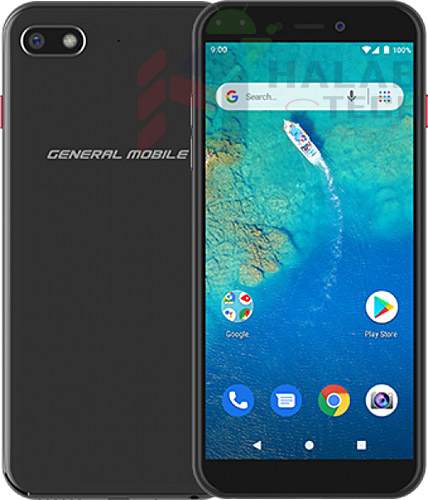
Device : General Mobile GM 8 [GM8_sprout]
Software : P.GM8.1908.A-s, 22 [Thu Aug 29 11:43:43 CST 2019]
Android Ver. : 9
Patch Level : 2019-09-05
Resetting FRP Lock……Done
Operation Finished.
QcFire Ver. 4.9.1




 Telegram Channel
 WhatsApp Channel
 Facebook Page
 YouTube Channel